By
By 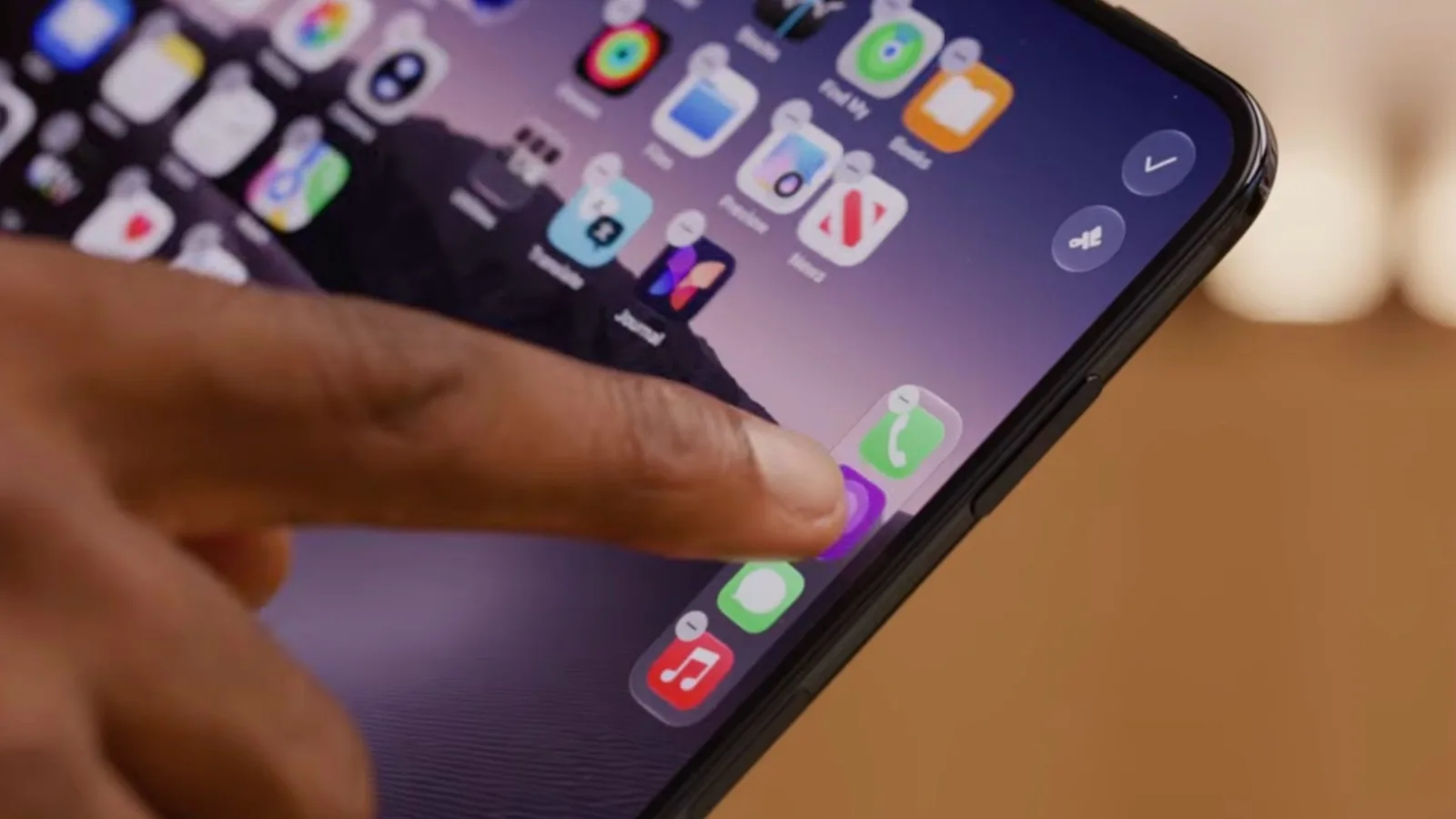
Apple's new iPhone Duo appears to place a hard limit on how many apps its redesigned Dock can hold. According to hands-on testing by reviewer Marques Brownlee, the device's vertical Dock accepts a maximum of four app icons, and attempts to add a fifth simply do not work.
What the hands-on revealed
In his time with the phone, Brownlee tried to drop a fifth app into the Dock but could not, suggesting the four-icon cap is a built-in restriction rather than a bug. Apple does not mention this limit anywhere in its technical documentation, so users hoping to fit five or six frequently used apps into the Dock may be disappointed.
The finding matters because the Dock is one of the most-used parts of iOS, giving quick access to a handful of apps from any Home Screen page. On traditional iPhones, the Dock has long sat horizontally across the bottom of the display and could hold four icons as well. The change on the iPhone Duo is where that Dock now lives rather than how much it holds.
A vertical Dock on the right edge
Instead of running along the bottom of the screen, the iPhone Duo's Dock is positioned vertically along the right-hand side of the display. There is unused space at both ends of the strip, leaving room that, at least for now, cannot be filled with additional apps.
The new layout is likely to require an adjustment period for anyone used to the familiar bottom-mounted Dock. The right-side placement could be especially awkward for left-handed users, whose thumbs would have to stretch across the display to reach it.
No confirmed left-handed option yet
It is not clear whether Apple plans to offer a left-handed mode that would move or mirror the Dock to the opposite edge of the screen. The company has not addressed the question, so for now the vertical Dock sits on the right for everyone regardless of which hand they favor.
Details like the four-app cap and Dock placement often surface through early hands-on impressions before they appear in official documentation, and Apple could still refine the behavior through software updates. Until then, the picture that emerges is of a Dock that has changed orientation while keeping the same modest app capacity it has always had.