 By
By 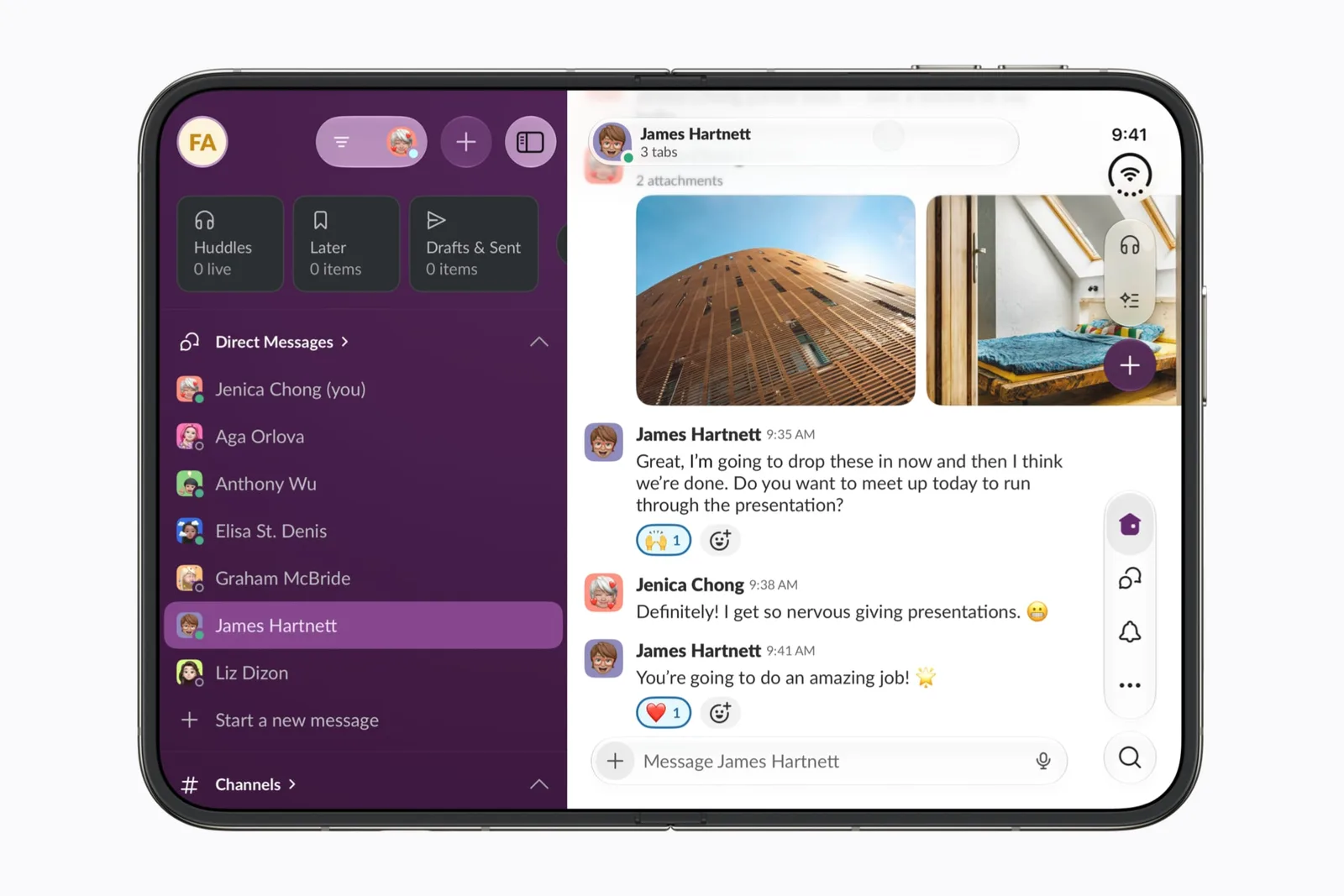
Apple is now accepting apps optimized for the iPhone Duo for App Store review, giving developers a final opportunity to prepare software before the foldable device launches on Friday, October 23.
Apple said existing App Store apps will run automatically on the iPhone Duo. However, apps that have not been optimized for the device will display with black borders rather than expanding across the full inner screen.
iPhone Duo apps require iOS 27.1 SDK
Developers who want their apps to resize dynamically across the iPhone Duo’s inner display must build them with the iOS 27.1 SDK or a later version. This requirement allows apps to take advantage of the available screen space instead of being presented in a more limited layout.
The distinction means users should be able to install and use existing iPhone apps on the device, even when developers have not yet submitted an updated version. Optimized apps, however, are expected to provide a layout that adapts to the full inner display.
Apple provides development guidance
Apple is directing developers to Xcode 27.1 to prepare their apps for the iPhone Duo. The company has also published guidance covering the work needed to support the device.
That preparation is relevant both to new submissions and to updates for apps already available through the App Store. Developers can now submit their iPhone Duo-ready builds for Apple’s approval process before the hardware reaches customers.
What iPhone Duo users can expect
At launch, the iPhone Duo will support the existing App Store catalogue, but the visual experience will vary by app. Software updated with the iOS 27.1 SDK or later can dynamically resize to fill the inner display. Apps without that optimization will continue to run with black borders.
Apple’s submission announcement gives developers a defined window to release compatible updates ahead of the October 23 launch. It also establishes the iOS 27.1 SDK and Xcode 27.1 as the tools required for applications that are designed specifically around the iPhone Duo’s larger inner screen.


