By
By 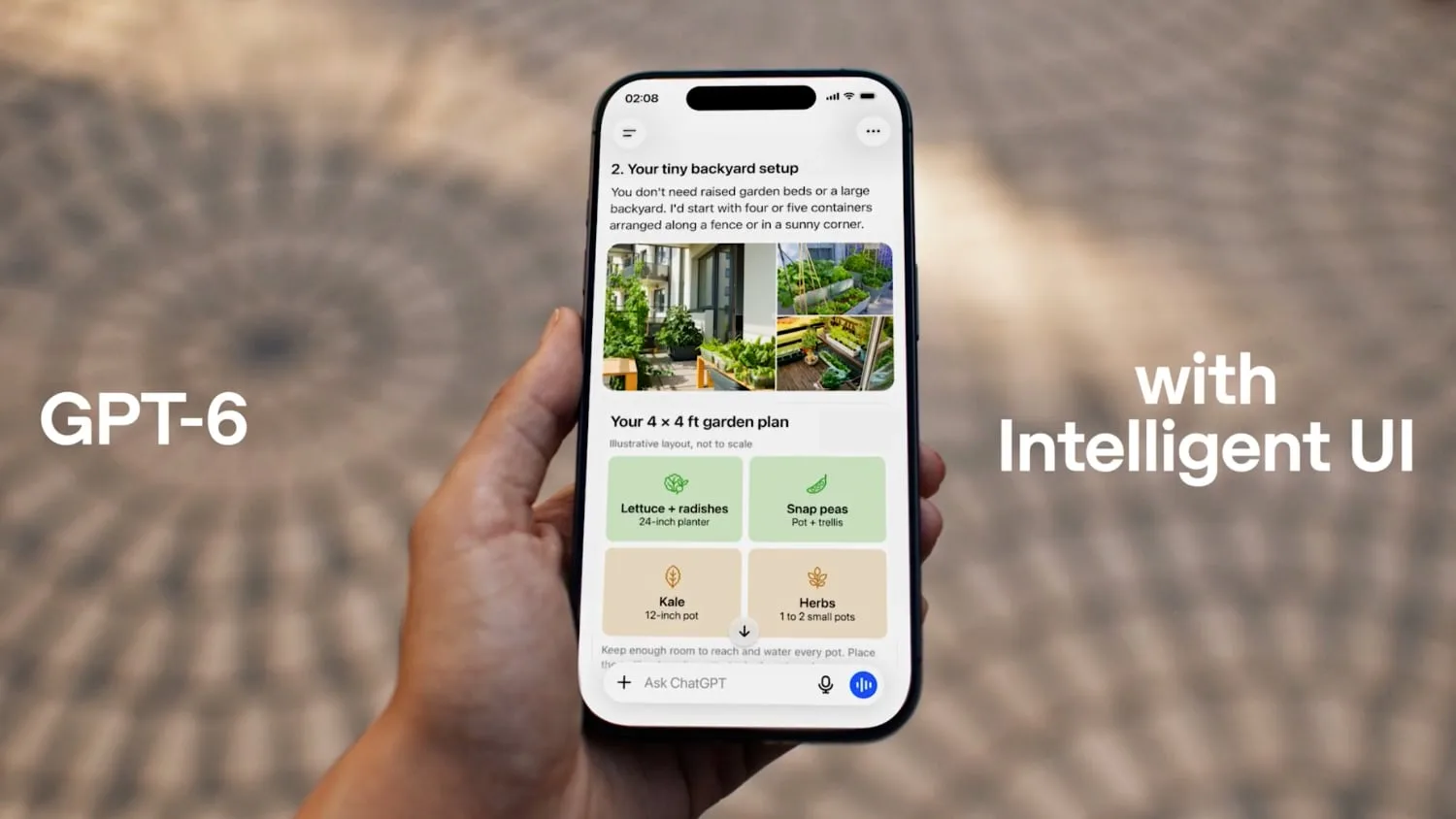
OpenAI is introducing GPT-6 alongside Intelligent UI, a new ChatGPT feature that can turn answers into interactive experiences. Instead of returning only text, ChatGPT can now create visual responses with graphics, tappable buttons, forms, charts, diagrams, and other components.
The company says the new interface is designed to make everyday answers more visual and complicated subjects easier to understand. OpenAI is also expanding GPT-6 access across ChatGPT’s subscription tiers, beginning with paid users and extending to free users the following day.
What ChatGPT’s Intelligent UI can do
Intelligent UI can generate task-focused interfaces as part of a response. Examples include a recipe widget that adjusts ingredient quantities based on the number of guests, checklists, integrated maps, and multiple-choice questions that help refine a user’s request.
ChatGPT can also create small tools directly in a conversation. OpenAI’s examples include a bill splitter, simple games, and a calculator. These experiences are intended to let users complete a task without leaving the chat or manually assembling a separate tool.
OpenAI describes Intelligent UI as a library of native, streamable components. A compiler processes the interface while the model generates it, allowing the visual elements to appear as part of the answer rather than requiring a separate application to be built first.
GPT-6 models and ChatGPT availability
GPT-6 with Intelligent UI is rolling out first to ChatGPT Plus, Pro, Business, and Enterprise subscribers. OpenAI says access will expand to the Free and Go tiers the next day.
The available model depends on the account tier. Plus, Pro, Business, and Enterprise users receive GPT-6 Sol, while Free and Go users receive GPT-6 Luna. GPT-6 is currently limited to ChatGPT’s Chat tab, and OpenAI is not changing the models used for Work or Codex.
Faster responses while GPT-6 is working
GPT-6 can begin displaying an answer while it continues processing the request. That approach may make responses feel faster, particularly when a prompt requires the model to assemble an interactive layout or work through a more involved task.
The broader change is that ChatGPT’s output can now function as both an explanation and a lightweight tool. Users may be able to explore information, adjust inputs, and narrow results within the response itself, although the feature’s usefulness will depend on how consistently the generated interfaces match each request.