By
By 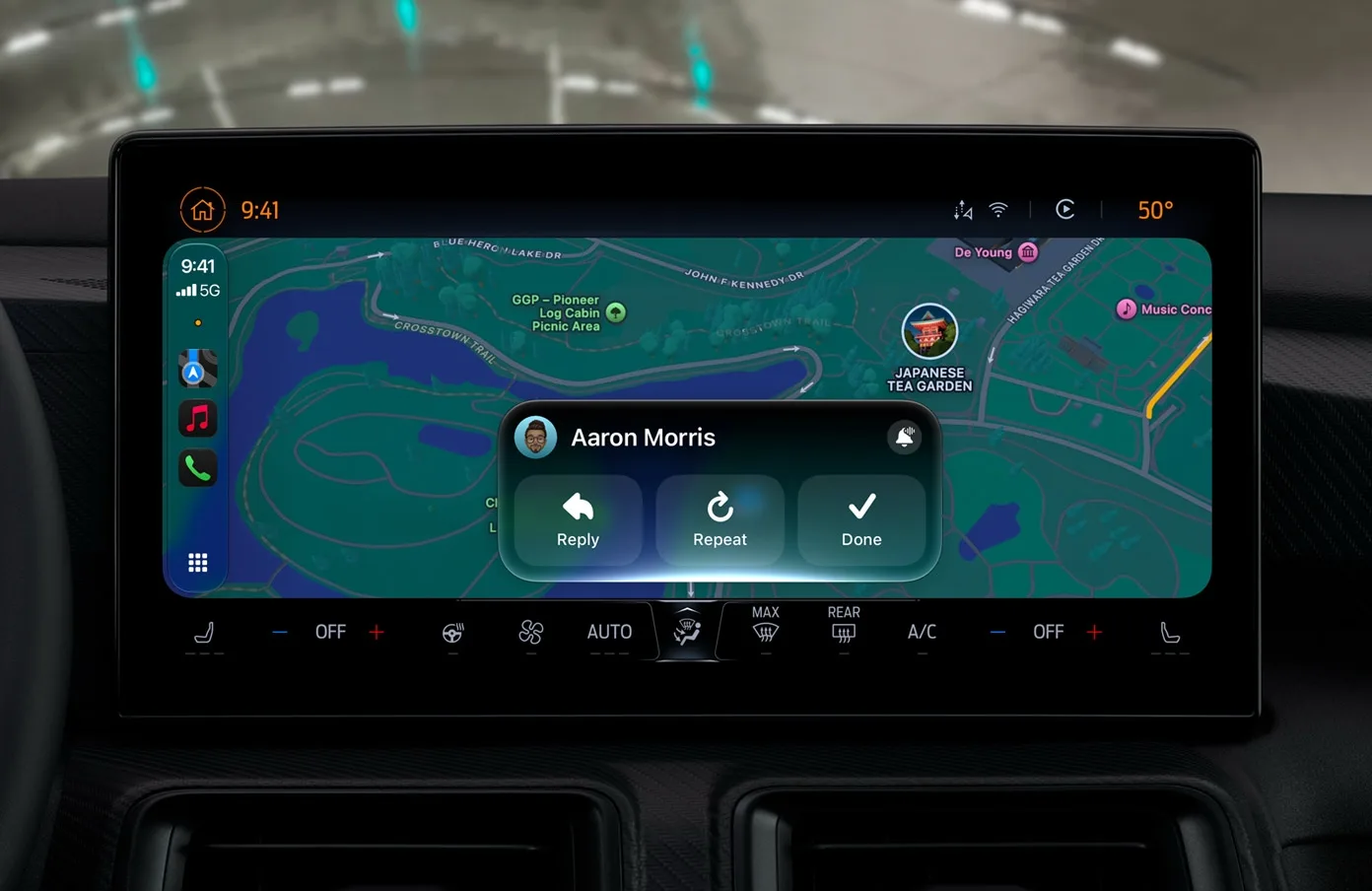
iOS 27 brings CarPlay its most substantial update in years, but the features available to drivers depend on more than the iPhone running the software. Several changes work in any vehicle that already supports CarPlay, while video playback and route sharing require compatible hardware and software from the automaker.
Apple released iOS 27 on September 14, and the update is available now. Drivers with a recent iPhone can use several new CarPlay capabilities immediately, although the upgraded Siri experience has additional requirements.
CarPlay features that work in any compatible vehicle
The most broadly available addition is support for custom widgets. CarPlay can now display compatible widgets from an iPhone's Home Screen instead of limiting users to Apple's built-in selection. Widgets can be added and rearranged through Settings > General > CarPlay, followed by the connected vehicle's settings and the Widgets menu. Users can also remove widgets and enable Smart Rotate or Widget Suggestions.
Audio playback is more flexible in iOS 27. The Now Playing screen includes a progress bar for scrubbing through songs and podcasts, so listeners no longer need to repeatedly press skip controls. A persistent mini-player also keeps artwork and playback controls visible while browsing other parts of CarPlay.
Apple Music adds library filters for playlists, albums, artists and songs. Filters include options such as Favorites and All Playlists, and Apple says third-party music apps can adopt the same capability.
CarPlay also gains 14 color options for Apple's new Celosia wallpaper designs. The wallpapers use overlapping curves and soft shadows and are shared across Apple's updated operating systems. Apple Maps benefits from the company's natural-language search improvements, including Siri requests for routes that avoid toll roads or highways.
Apple also says iOS 27 improves wireless CarPlay reliability, GPS accuracy and navigation heading detection. These changes are handled on the iPhone, so they do not require new vehicle hardware.
Features that require automaker support
Video apps are the least available CarPlay feature at launch. Automakers must certify AirPlay video integration for a vehicle before the option can appear. Playback is restricted to when the car is parked and changes to audio when the vehicle shifts into drive, requiring the car to share its driving status with iOS. No manufacturer has announced support for the feature at this time.
Navigation apps can also share route information with a vehicle's own infotainment display or digital instrument cluster. That information may include EV charging stops and estimated range, but the vehicle must support the integration before it can work.
Siri AI has iPhone requirements
The new conversational Siri experience in CarPlay requires an iPhone that supports Apple Intelligence. Access also depends on Apple's Siri AI waitlist, which users can join from the Siri settings on their iPhone. Conversations can sync with the Siri app so users can continue them later.
Voice controls will expand gradually
Apple has provided developers with a voice-control template for conversational interactions in CarPlay apps. However, the feature depends on individual app makers adopting it, so support is expected to develop over time rather than arrive all at once.